Home  /  Equipment  /  JBL PartyBox 320 + Mic Package
Best Value Bundle

Audio Hire Melbourne:
The JBL PartyBox 320 + Mic Package

The ultimate audio hire in Melbourne. JBL PartyBox 320 + 2× Wireless Microphones. Everything you need for speeches, music, and dancing — bundled and discounted.

JBL PartyBox 320 speaker audio hire + JBL wireless mics audio hire
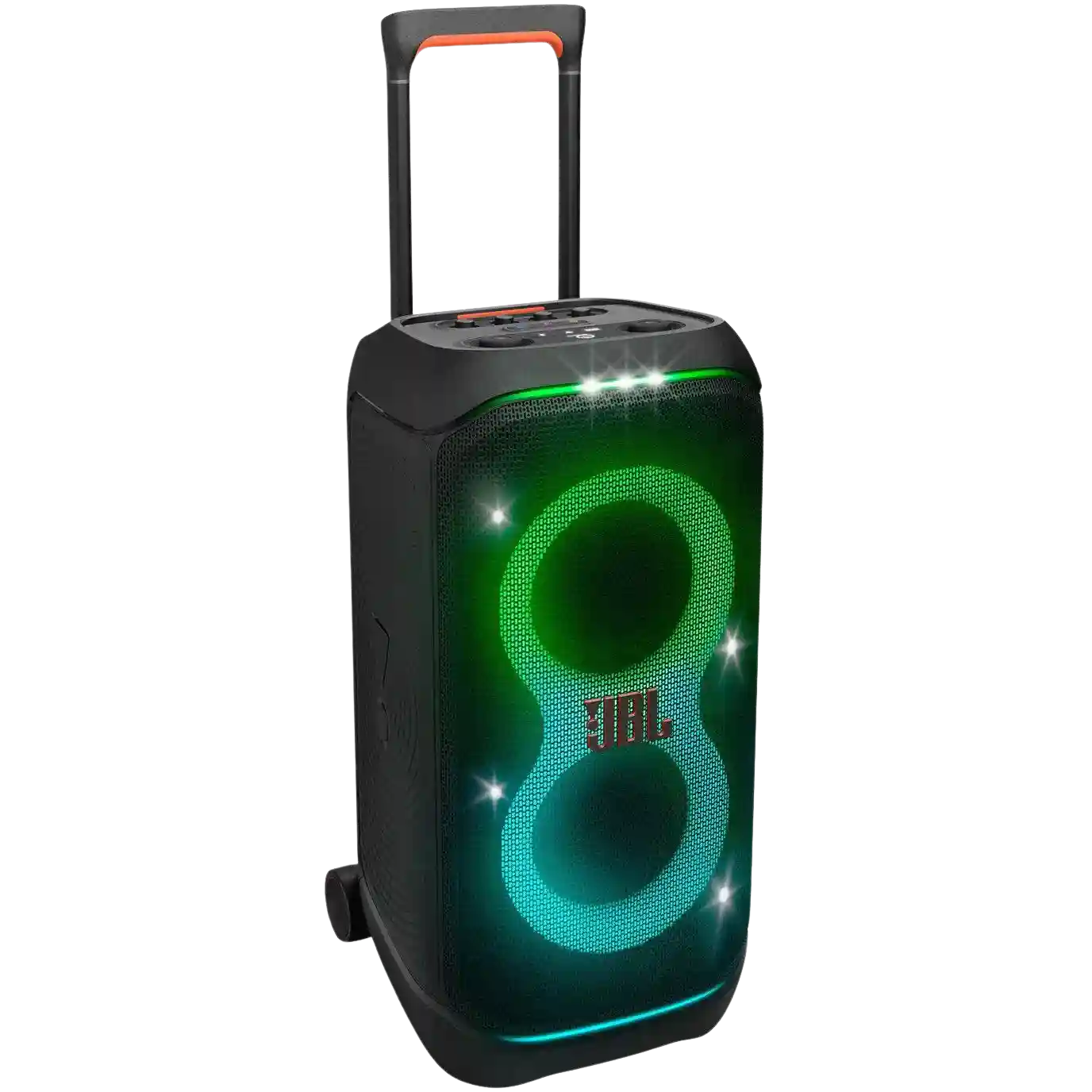
JBL PartyBox 320
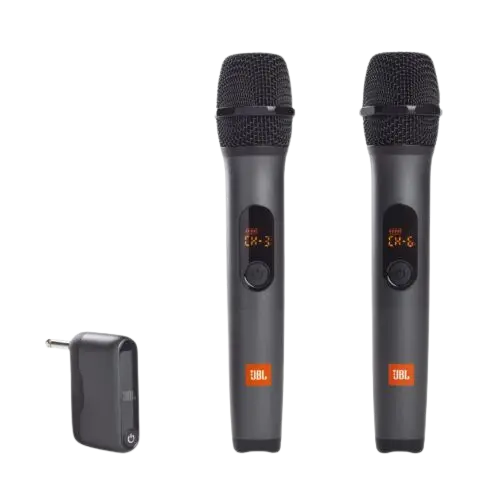
2× JBL Wireless Microphones
Built-in Music-Sync Light Show
Saves $10 vs renting separately
Ideal for birthdays & small weddings
Local Pickup Clayton 3168
$79/day separately
$69/day
⚠️ Not waterproof

Why the JBL PartyBox 320 + Mic Package?

Most Melbourne events need exactly two things from their audio hire: great music for the party, and clear microphones for the speeches. Hiring these separately costs $79/day. The JBL PartyBox 320 + Mic Package gives you both for $69/day — saving you $10 with zero compromise on convenience.

The JBL PartyBox 320 handles music seamlessly — it has Bluetooth, a built-in light show, and a mic/guitar input that the wireless receiver plugs directly into. You can have background music playing and the mics live at the same time, then lower the music for a speech in seconds.

The built-in light show also saves you a separate lighting hire. For a birthday, engagement party, or small wedding, the PartyBox 320 creates the atmosphere you need without the size of a larger speaker.

Everything in the package

JBL PartyBox 320 speaker
2× JBL wireless handheld microphones
Wireless receiver unit (plugs into speaker)
Batteries for both microphones
Power cable (240V)
AUX 3.5mm audio cable
Setup guide — printed and digital

Package Setup Guide

1
Power on the speaker
Roll the JBL PartyBox 320 into position. Plug into 240V if needed and switch it on. Keep it under cover throughout if using outdoors.
2
Plug in the mic receiver
Connect the wireless receiver to the mic input on the PartyBox 320. Turn on the receiver first, then confirm the indicator lights are active.
3
Turn on the microphones
Switch each microphone on using the side button. They pair automatically with the receiver within 2–3 seconds.
4
Pair Bluetooth for music
Open Bluetooth on your phone, select 'JBL PartyBox 320', and connect. You can now play music through your phone while the mics remain live.
5
Balance music & mic levels
Set music volume to a comfortable level, then use the mic gain/volume controls to keep speeches clear and avoid feedback.
⚠️ Not waterproof — must stay under a roof, patio, or marquee at all times. Requires a standard 240V wall outlet.
JBL PartyBox 320 + Mic Package — FAQ

What is included in the JBL PartyBox 320 + Mic Package?
The package includes: JBL PartyBox 320 speaker, 2× JBL wireless handheld microphones, wireless receiver, power cable, AUX cable, and batteries. Everything you need for a complete event audio setup — nothing extra required.
Is the JBL PartyBox 320 + Mic Package good for weddings?
Yes — it's a great wedding audio hire option for smaller weddings and receptions. The PartyBox 320 covers music while the two wireless mics handle the celebrant, speeches, and MC. The package saves $10 vs hiring the speaker and mics separately.
How do the wireless microphones connect to the JBL PartyBox 320?
The wireless receiver plugs directly into the mic input port on the JBL PartyBox 320. Turn on the receiver first, then each microphone — they pair automatically. Both mics can be used simultaneously.
Can two people use microphones at the same time?
Yes. Both wireless microphones are included and can be used simultaneously. This makes the package ideal for weddings with a celebrant and MC, or events where two people might give speeches together.
How do I prevent microphone feedback with this package?
Keep the speaker facing the crowd, hold the microphone by the handle, and keep the mic gain at a moderate level. For best results, avoid pointing the mic directly at the speaker and keep the speaker behind the mic user.

📍 Pickup: Clayton 3168 · Exact address sent on confirmation