0 items selected
Text us  +61478337702
Home  /  Equipment  /  JBL PartyBox 310
JBL PartyBox 310 party speaker hire Melbourne
Highly Portable Save $20

JBL PartyBox 310 Party Speaker Hire

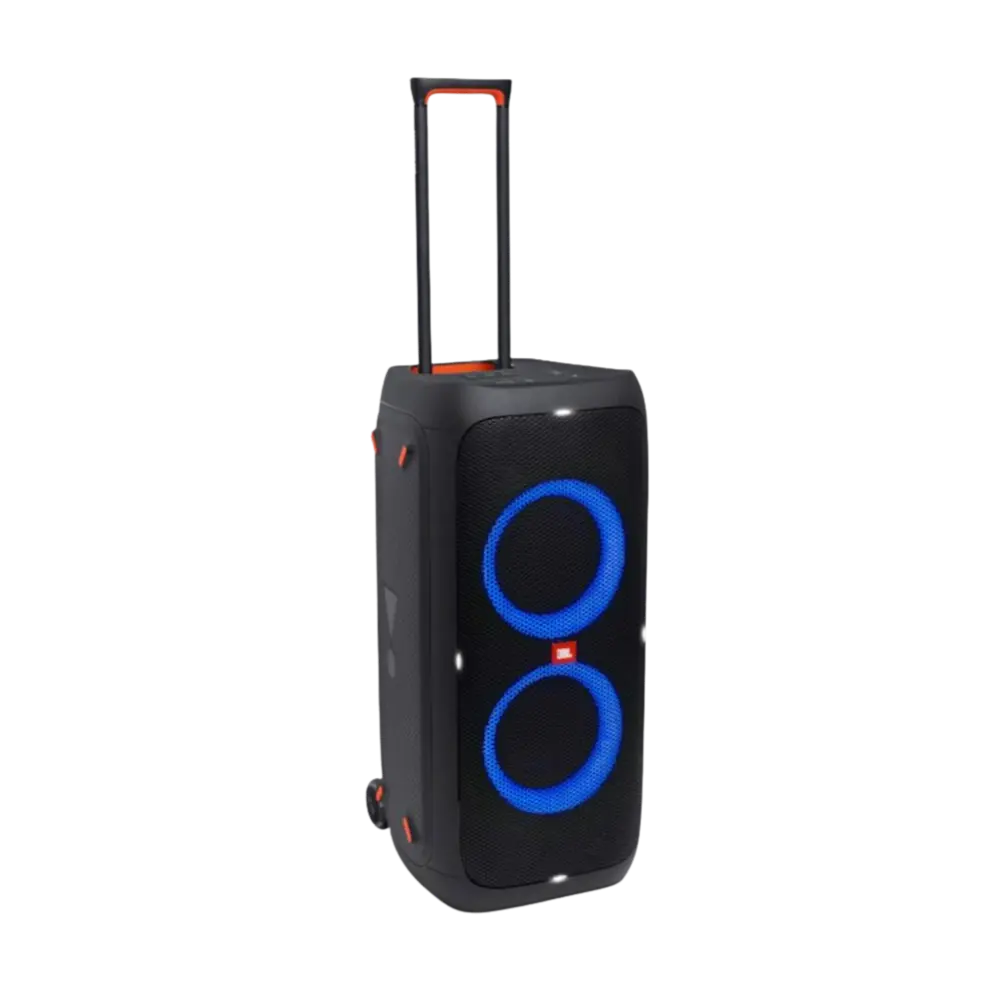
The JBL PartyBox 310 is a powerful, portable Bluetooth party speaker designed for birthdays, backyard parties, and casual events in Melbourne. Featuring a smooth-glide telescopic handle and built-in wheels, it’s effortless to transport. It delivers 240W of signature JBL sound, a synced light show, dual mic/guitar inputs, and the flexibility of up to 18 hours of battery life or continuous wall power.

Smooth wheels & telescopic handle
Battery operated or wall power
Easy Bluetooth pairing
Built-in dynamic light show
Dual Mic & guitar inputs
Splashproof (IPX4 rated)
Keep out of heavy rain
Not ideal for very large venues
PowerBattery (Up to 18h) or wall power
ConnectivityBluetooth + Dual Mic/Guitar Inputs
PortabilityLuggage-style handle & wheels
Best ForBirthdays, small parties, park events
PickupClayton, VIC 3168
$69/day
$49/day

Why Choose the JBL PartyBox 310?

The JBL PartyBox 310 is the ultimate combination of performance and portability. Thanks to its smooth-glide wheels and telescopic handle, rolling this speaker into your venue or backyard is as easy as pulling a suitcase. It’s powerful enough for small to medium parties and eliminates the heavy lifting usually associated with PA equipment.

Its dynamic built-in light show syncs to the beat, adding instant atmosphere without needing extra lighting gear. With seamless Bluetooth pairing, you can stream music directly from any phone, while dual mic/guitar inputs offer the versatility needed for karaoke, speeches, or acoustic performances.

For massive outdoor events, the larger PartyBox 710 might be required, but for park gatherings, 21st birthdays, and backyard BBQs, the PartyBox 310’s built-in battery and splashproof design make it the most convenient and reliable choice.

What's included in the hire

JBL PartyBox 310 speaker unit
Power cable (for charging or mains use)
AUX 3.5mm audio cable
Setup guide (printed + digital)
Phone support during your event

Wireless mics available as add-on — $20/day (bundled) · $30/day (standalone)

Quick Setup Guide

1
Roll into position
Use the telescopic handle to wheel the speaker into place. If using wall power, plug it into a standard 240V outlet. If using battery mode, simply press the power button.
2
Pair Bluetooth
Open Bluetooth on your device and select 'JBL PartyBox 310' from the list. It pairs instantly like wireless headphones. The Bluetooth light will stay solid when connected.
3
Play music & lights
Hit play on your phone. You can use the control panel on top of the speaker to adjust the volume, bass boost, and cycle through different light show patterns.
4
Plug in a mic (optional)
If using a microphone, plug it into the Mic 1 or Mic 2 inputs on the back panel. Adjust the dedicated volume and echo knobs to get your preferred vocal sound.
Tip: While the PartyBox 310 is IPX4 splashproof (safe for light splashes near a pool), it should always be brought undercover if heavy rain is expected. Wall power provides a slight volume boost compared to battery mode.

JBL PartyBox 310 Party Speaker Hire — FAQ

How many people can the JBL PartyBox 310 cover?
The JBL PartyBox 310 is excellent for small to medium events, generally covering around 30–60 guests depending on venue layout and ambient noise. If you have a larger crowd, upgrading to the PartyBox 710 or a Vonyx 1000W setup is recommended.
Does the JBL PartyBox 310 need a power outlet?
No, it does not strictly need one. The PartyBox 310 features an internal rechargeable battery that lasts up to 18 hours at moderate volumes (less if using Bass Boost and high volume). You can also run it continuously plugged into a standard wall outlet.
Can I use wireless microphones with the JBL PartyBox 310?
Absolutely. The PartyBox 310 has dual inputs on the back specifically designed for microphones and guitars. You can connect a wireless microphone receiver directly into it. We offer wireless mic add-ons if you don't have your own.
How do I connect my phone via Bluetooth?
Simply press the power button, ensure the Bluetooth button on top is flashing, and select 'JBL PartyBox 310' in your phone's Bluetooth settings. It will connect wirelessly, allowing you to control the music from anywhere in the room.
Is the JBL PartyBox 310 waterproof?
The PartyBox 310 has an IPX4 splashproof rating, meaning it can handle minor water splashes (like sitting next to a pool). However, it is not fully waterproof and must be protected from heavy rain, sprinklers, or being submerged.

Ready to book the JBL PartyBox 310 for your Melbourne event?

See Package Deal